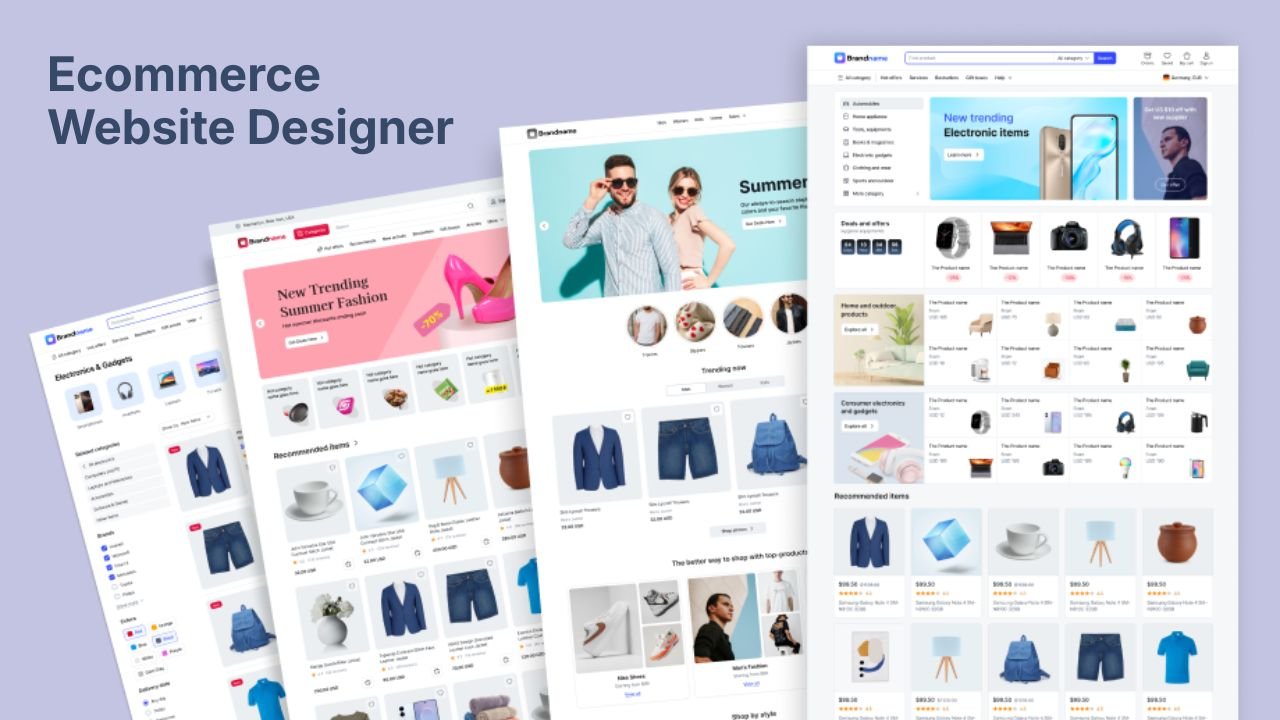
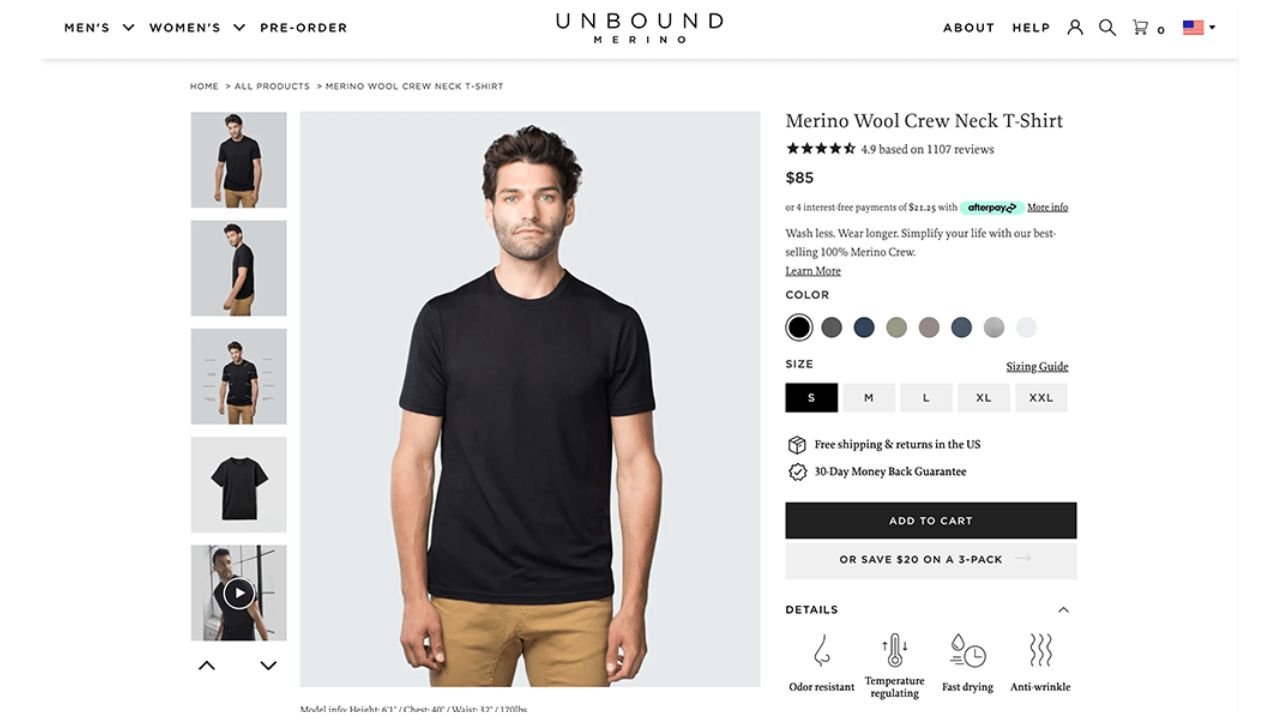
Ecommerce Website Development in Pakistan | Complete Guide & Price Breakdown

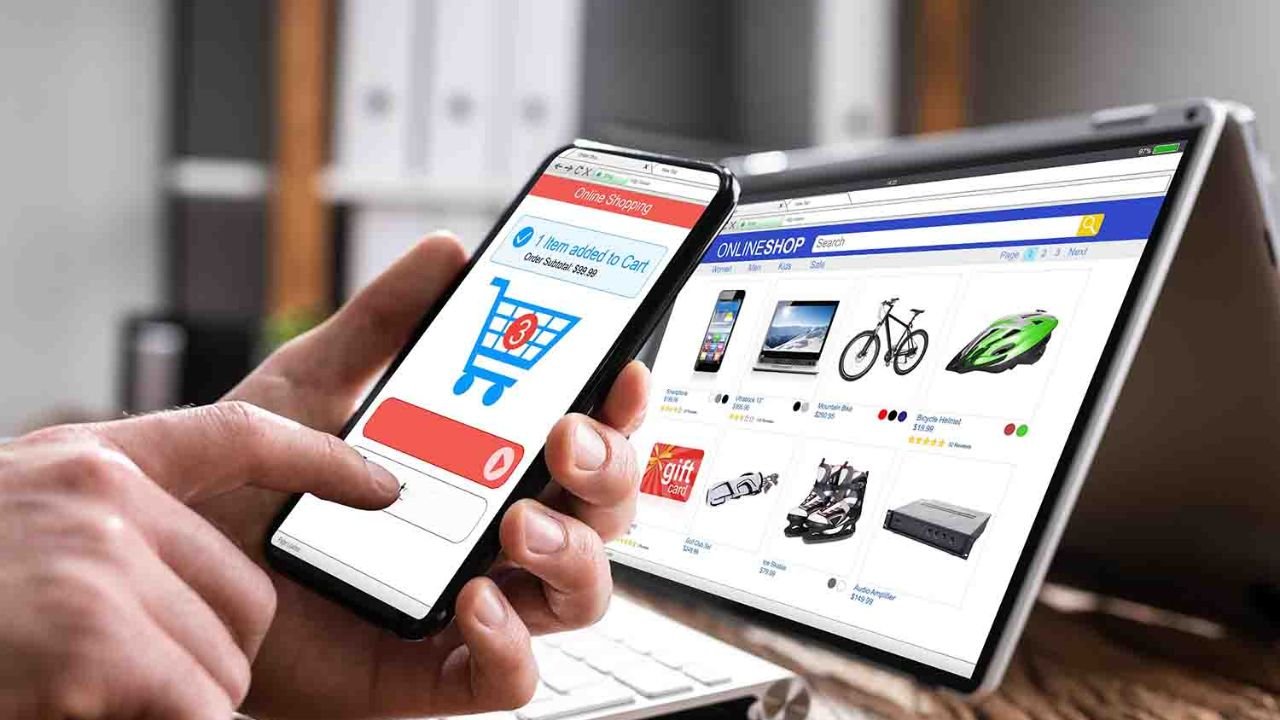
Building a custom slide-out cart drawer directly into your Shopify Liquid theme cuts recurring app subscription costs while eliminating the heavy third-party JavaScript that degrades site speed and Core Web Vitals. Many store owners rely on bloated monthly apps for basic features like sticky add-to-cart or cart drawers, unknowingly slowing down mobile checkout performance and introducing code overhead.
Key Highlights
- Cutting monthly Shopify app costs by using native Liquid code saves hundreds of dollars annually while protecting your site's loading speed and Google Core Web Vitals.
- Modern Shopify themes like Dawn include a built-in cart drawer setting that can be enabled in seconds without adding any third-party app scripts.
- Custom cart drawer shopify code gives you full layout control, allowing you to build features like sticky add-to-cart buttons and dynamic free shipping progress bars with zero subscription fees.
- An AJAX-powered cart drawer keeps shoppers on the product page, reducing drop-off rates compared to traditional full-page cart redirects.
1. Why Eliminate Paid Cart Apps for Shopify Customization?
Many store owners rely on a paid cart upsell shopify app or dedicated drawer app to handle basic cart interactions. However, every third-party app installed on your store injects external JavaScript files into your theme's header. Over time, these additional network requests slow down mobile render speeds, increase your monthly software overhead, and lower overall conversion rates.
By relying on native Liquid code and standard browser APIs, you retain complete code ownership, avoid unexpected app conflicts during updates, and ensure your checkout flow remains as lightweight and fast as possible.
2. Method 1: Enable the Built-In Cart Drawer (Online Store 2.0)
If your store runs on an official Shopify Online Store 2.0 theme (such as Dawn, Sense, Craft, or Spotlight), a native drawer cart is already built into your codebase and simply needs to be turned on.
-
Access Theme Settings
From your Shopify Admin, go to Online Store > Themes. Locate your active or draft theme and click Customize.
-
Open Cart Settings
Click the Theme Settings (gear icon) in the left panel, then select the Cart section.
-
Select Drawer Layout
Under the Cart type dropdown, change the selection from "Page" or "Notification" to Drawer. Click Save in the upper right corner.
3. Method 2: Implement Custom Cart Drawer Shopify Code
If your theme lacks a native drawer, or if you want custom functionality like in-cart offers and custom styling, follow these steps to add a lightweight custom slide-out cart.
-
Create the Cart Drawer Section
Navigate to Online Store > Themes > Edit Code. Under the Sections directory, click Add a new section and name it
custom-cart-drawer. -
Insert Liquid and HTML Structure
Paste the following markup into your new
custom-cart-drawer.liquidfile to render cart items, free shipping progress, and dynamic subtotal calculations:
{%- comment -%}
Section: custom-cart-drawer.liquid
Native AJAX Cart Drawer built with pure Liquid and semantic HTML5.
{%- endcomment -%}
<div
id="CustomCartDrawer"
class="cart-drawer-backdrop"
data-section-id="{{ section.id }}"
aria-hidden="true"
tabindex="-1"
>
<div class="cart-drawer-panel" role="dialog" aria-modal="true" aria-label="Shopping Cart">
{%- comment -%} Drawer Header {%- endcomment -%}
<div class="cart-drawer-header">
<h2 class="cart-drawer-title">
Your Cart
<span class="cart-drawer-count">({{ cart.item_count }})</span>
</h2>
<button
type="button"
class="cart-drawer-close-btn"
aria-label="Close cart drawer"
data-cart-drawer-close
>
×
</button>
</div>
{%- comment -%} Free Shipping Threshold Bar {%- endcomment -%}
{%- if section.settings.enable_free_shipping_bar -%}
{%- assign threshold = section.settings.free_shipping_threshold | times: 100 -%}
{%- assign amount_left = threshold | minus: cart.total_price -%}
<div class="cart-drawer-shipping-bar">
{%- if cart.item_count == 0 -%}
<p>Add items worth {{ threshold | money }} to qualify for Free Shipping!</p>
{%- elsif amount_left > 0 -%}
<p>Add {{ amount_left | money }} more to unlock <strong>Free Standard Shipping</strong>!</p>
<div class="shipping-progress-track">
{%- assign percentage = cart.total_price | times: 100 | divided_by: threshold -%}
<div class="shipping-progress-fill" style="width: {{ percentage | at_most: 100 }}%;"></div>
</div>
{%- else -%}
<p class="shipping-unlocked">🎉 You qualify for <strong>Free Standard Shipping</strong>!</p>
<div class="shipping-progress-track">
<div class="shipping-progress-fill" style="width: 100%;"></div>
</div>
{%- endif -%}
</div>
{%- endif -%}
{%- comment -%} Drawer Body / Line Items {%- endcomment -%}
<div class="cart-drawer-body">
{%- if cart.item_count == 0 -%}
<div class="cart-drawer-empty-state">
<svg viewBox="0 0 24 24" fill="none" stroke="currentColor" stroke-width="1.5" class="empty-icon">
<circle cx="9" cy="21" r="1" /><circle cx="20" cy="21" r="1" />
<path d="M1 1h4l2.68 13.39a2 2 0 0 0 2 1.61h9.72a2 2 0 0 0 2-1.61L23 6H6" />
</svg>
<p>Your shopping cart is currently empty.</p>
<a href="{{ routes.all_products_collection_url }}" class="cart-drawer-continue-btn">
Start Shopping
</a>
</div>
{%- else -%}
<ul class="cart-drawer-items-list" role="list">
{%- for item in cart.items -%}
<li class="cart-drawer-item" data-line-item-key="{{ item.key }}">
<div class="cart-drawer-item-image">
{%- if item.image -%}
{{ item.image | image_url: width: 160 | image_tag: loading: 'lazy', alt: item.title | escape }}
{%- else -%}
{{ 'product-1' | placeholder_svg_tag }}
{%- endif -%}
</div>
<div class="cart-drawer-item-details">
<a href="{{ item.url }}" class="cart-drawer-item-title">{{ item.product.title | escape }}</a>
{%- unless item.product.has_only_default_variant -%}
<p class="cart-drawer-item-variant">{{ item.variant.title }}</p>
{%- endunless -%}
<div class="cart-drawer-item-price-row">
{%- if item.original_line_price != item.final_line_price -%}
<s class="price-discounted">{{ item.original_line_price | money }}</s>
<span class="price-final">{{ item.final_line_price | money }}</span>
{%- else -%}
<span class="price-final">{{ item.final_line_price | money }}</span>
{%- endif -%}
</div>
{%- comment -%} Quantity Controls {%- endcomment -%}
<div class="cart-drawer-quantity-selector">
<button
type="button"
class="qty-btn"
data-qty-change="decrement"
data-line-key="{{ item.key }}"
data-current-qty="{{ item.quantity }}"
aria-label="Decrease quantity"
>-</button>
<input
type="number"
class="qty-input"
value="{{ item.quantity }}"
min="0"
aria-label="Item quantity"
readonly
>
<button
type="button"
class="qty-btn"
data-qty-change="increment"
data-line-key="{{ item.key }}"
data-current-qty="{{ item.quantity }}"
aria-label="Increase quantity"
>+</button>
<button
type="button"
class="cart-drawer-remove-btn"
data-remove-item
data-line-key="{{ item.key }}"
aria-label="Remove {{ item.title | escape }}"
>
Remove
</button>
</div>
</div>
</li>
{%- endfor -%}
</ul>
{%- endif -%}
</div>
{%- comment -%} Drawer Footer {%- endcomment -%}
{%- if cart.item_count > 0 -%}
<div class="cart-drawer-footer">
<div class="cart-drawer-subtotal-row">
<span>Subtotal</span>
<span class="subtotal-amount">{{ cart.total_price | money }}</span>
</div>
<p class="cart-drawer-disclaimer">Taxes and shipping calculated at checkout.</p>
<form action="{{ routes.cart_url }}" method="post" id="cart-drawer-form">
<button type="submit" name="checkout" class="cart-drawer-checkout-btn">
Proceed to Checkout
</button>
</form>
</div>
{%- endif -%}
</div>
</div>
{% schema %}
{
"name": "Native Cart Drawer",
"settings": [
{
"type": "checkbox",
"id": "enable_free_shipping_bar",
"label": "Enable Free Shipping Bar",
"default": true
},
{
"type": "number",
"id": "free_shipping_threshold",
"label": "Free Shipping Threshold (Amount)",
"default": 100
}
]
}
{% endschema %}-
Add CSS Layout Styles
Open your primary layout stylesheet (such as
base.cssortheme.cssin the Assets folder) and append the following drawer overlay styles:
/* Custom Native Cart Drawer Styles */
.cart-drawer-backdrop {
  position: fixed;
  top: 0;
  left: 0;
  width: 100vw;
  height: 100vh;
  background-color: rgba(0, 0, 0, 0.55);
  backdrop-filter: blur(2px);
  z-index: 99999;
  visibility: hidden;
  opacity: 0;
  transition: opacity 0.3s cubic-bezier(0.16, 1, 0.3, 1), visibility 0.3s cubic-bezier(0.16, 1, 0.3, 1);
}

.cart-drawer-backdrop.is-active {
  visibility: visible;
  opacity: 1;
}

.cart-drawer-panel {
  position: absolute;
  top: 0;
  right: -100%;
  width: 100%;
  max-width: 440px;
  height: 100%;
  background: #ffffff;
  display: flex;
  flex-direction: column;
  box-shadow: -4px 0 25px rgba(0, 0, 0, 0.15);
  transition: right 0.35s cubic-bezier(0.16, 1, 0.3, 1);
}

.cart-drawer-backdrop.is-active .cart-drawer-panel {
  right: 0;
}

.cart-drawer-header {
  display: flex;
  justify-content: space-between;
  align-items: center;
  padding: 20px 24px;
  border-bottom: 1px solid #e8e8e8;
}

.cart-drawer-title {
  font-size: 1.25rem;
  font-weight: 700;
  margin: 0;
}

.cart-drawer-close-btn {
  background: none;
  border: none;
  font-size: 1.75rem;
  line-height: 1;
  cursor: pointer;
  padding: 4px 8px;
  color: #333333;
}

/* Shipping Progress Bar */
.cart-drawer-shipping-bar {
  background-color: #f7f7f7;
  padding: 12px 24px;
  text-align: center;
  font-size: 0.875rem;
  border-bottom: 1px solid #e8e8e8;
}

.shipping-progress-track {
  width: 100%;
  height: 6px;
  background-color: #e0e0e0;
  border-radius: 3px;
  margin-top: 8px;
  overflow: hidden;
}

.shipping-progress-fill {
  height: 100%;
  background-color: #111111;
  transition: width 0.3s ease;
}

/* Body & Items */
.cart-drawer-body {
  flex: 1;
  overflow-y: auto;
  padding: 24px;
}

.cart-drawer-empty-state {
  text-align: center;
  padding: 48px 0;
}

.cart-drawer-empty-state .empty-icon {
  width: 56px;
  height: 56px;
  color: #a0a0a0;
  margin-bottom: 16px;
}

.cart-drawer-continue-btn {
  display: inline-block;
  margin-top: 16px;
  padding: 12px 24px;
  background-color: #111111;
  color: #ffffff;
  text-decoration: none;
  border-radius: 4px;
  font-weight: 600;
}

.cart-drawer-items-list {
  list-style: none;
  padding: 0;
  margin: 0;
}

.cart-drawer-item {
  display: flex;
  gap: 16px;
  padding-bottom: 20px;
  margin-bottom: 20px;
  border-bottom: 1px solid #f0f0f0;
}

.cart-drawer-item-image {
  width: 80px;
  height: 80px;
  flex-shrink: 0;
  border-radius: 4px;
  overflow: hidden;
  background: #f9f9f9;
}

.cart-drawer-item-image img {
  width: 100%;
  height: 100%;
  object-fit: cover;
}

.cart-drawer-item-details {
  flex: 1;
}

.cart-drawer-item-title {
  font-weight: 600;
  color: #111111;
  text-decoration: none;
  font-size: 0.95rem;
}

.cart-drawer-item-variant {
  font-size: 0.8rem;
  color: #666666;
  margin: 4px 0;
}

.cart-drawer-item-price-row {
  margin: 6px 0 10px;
  font-size: 0.9rem;
}

.price-discounted {
  color: #888888;
  margin-right: 6px;
}

.price-final {
  font-weight: 700;
}

/* Quantity & Remove */
.cart-drawer-quantity-selector {
  display: flex;
  align-items: center;
  gap: 8px;
}

.qty-btn {
  width: 28px;
  height: 28px;
  border: 1px solid #cccccc;
  background: #ffffff;
  cursor: pointer;
  border-radius: 4px;
  font-weight: bold;
}

.qty-input {
  width: 32px;
  text-align: center;
  border: none;
  font-weight: 600;
  -moz-appearance: textfield;
}

.qty-input::-webkit-outer-spin-button,
.qty-input::-webkit-inner-spin-button {
  -webkit-appearance: none;
  margin: 0;
}

.cart-drawer-remove-btn {
  background: none;
  border: none;
  color: #d9534f;
  font-size: 0.8rem;
  cursor: pointer;
  margin-left: auto;
  text-decoration: underline;
}

/* Footer */
.cart-drawer-footer {
  padding: 20px 24px;
  border-top: 1px solid #e8e8e8;
  background-color: #ffffff;
}

.cart-drawer-subtotal-row {
  display: flex;
  justify-content: space-between;
  font-size: 1.1rem;
  font-weight: 700;
  margin-bottom: 6px;
}

.cart-drawer-disclaimer {
  font-size: 0.8rem;
  color: #666666;
  margin-bottom: 16px;
}

.cart-drawer-checkout-btn {
  width: 100%;
  padding: 14px;
  background-color: #111111;
  color: #ffffff;
  border: none;
  border-radius: 4px;
  font-size: 1rem;
  font-weight: 700;
  cursor: pointer;
  transition: background-color 0.2s ease;
}

.cart-drawer-checkout-btn:hover {
  background-color: #333333;
}-
Render the Section Globally
Open your main layout template under Layout > theme.liquid. Scroll down near the bottom of the file and render the section directly before the closing
</body>tag:
{% section 'custom-cart-drawer' %}4. Pairing Your Drawer with Sticky Add-to-Cart Features
To maximize mobile conversions without adding another subscription app, pair your custom slide-out cart with a native sticky add-to-cart shopify bar on product pages. A sticky bar ensures the primary purchase action remains visible as users scroll through images and reviews. When clicked, the sticky button issues a background fetch request to Shopify's AJAX Cart API and immediately slides open your drawer cart.
5. Pros and Cons of Native Cart Code vs. App Solutions
Pros
- Direct Cost Reduction: Eliminates recurring $10 to $50 monthly software charges forever, directly cutting monthly Shopify app costs.
- Maximum Page Speed: Removes external script calls and remote network requests, preserving fast page loads and high mobile Core Web Vitals scores.
- Full Design Ownership: Allows complete control over typography, spacing, mobile layouts, and custom offer placements without template restrictions.
Cons
- Manual Initial Setup: Requires copying code files into your theme rather than completing a single-click app installation.
- No GUI Settings Panel: Visual adjustments require basic CSS or Liquid updates instead of a simple drag-and-drop dashboard.
Frequently Asked Questions
Will building a custom slide-out cart break my Shopify theme during future updates?
Custom sections like a slide-out cart live directly inside your active theme directory. If you upgrade to a completely new base theme, you will simply copy the custom Liquid section, CSS, and JS files over to the new theme code structure.
How do native cart drawer upsells compare to upsell apps?
Native cart drawer upsells utilize Shopify's official Section Rendering API or Cart API to pull product recommendations dynamically. They offer identical functionality to paid apps—such as single-click add-to-cart buttons—without charging monthly fees or injecting third-party trackers.
Does an app-free cart drawer work with sticky add-to-cart features?
Yes. Because native cart drawers trigger using custom JavaScript events, any sticky add-to-cart button on your product detail pages can dispatch the exact same event listener, sliding open the cart drawer instantaneously.
Is it difficult to add a free shipping threshold bar to a custom Liquid cart?
Not at all. A simple Liquid condition or JavaScript calculation compares your current cart total against your target free shipping threshold, outputting an animated progress bar instantly as products are added or removed.
Sources and Links
- Shopify Developer Documentation: Theme Architecture & Liquid Reference
- Shopify API Reference: Shopify AJAX Cart API Guide
FAQ
A functional, professionally developed ecommerce store in Pakistan generally ranges between PKR 80,000 and PKR 350,000. Basic template setups for small catalogs sit on the lower end, while stores featuring custom theme design, automated courier API integration, conversion rate optimization, and server-side tracking sit between PKR 180,000 and PKR 450,000+.
Shopify is ideal if you want a reliable, hosted system with zero server maintenance, fast setup, and automatic payment security. WooCommerce on WordPress is best if you want full code ownership, zero platform transaction penalties, and complete freedom to customize checkout flows or connect regional courier systems without recurring app fees.
Modern ecommerce development connects your store directly to courier APIs (such as PostEx, Trax, Leopard, or TCS). When a customer places an order, the system automatically sends the shipping details to the courier portal, generates an air waybill (AWB) number, and prints the consignment slip without requiring manual data entry.
Common reasons for poor ad conversion include slow mobile page speeds (taking over 3 seconds to load), forced account registrations before checkout, missing trust signals, or broken event tracking. Optimizing your store to pass Google Core Web Vitals and setting up Meta Conversions API (CAPI) helps restore conversion performance.
A quality ecommerce website typically requires 3 to 6 weeks to complete. This timeline allows for proper UI/UX planning, custom theme development, payment gateway setup, courier API integration, and comprehensive mobile performance testing before launch.
Umair Javed
Marketing and CRO Specialist